←︎All sightings

IntelliShift

One operations home for an entire fleet. Safety, maintenance, fuel and inspections are ranked into a single queue of what needs attention first, alongside live status by branch and the service coming due.

  • SaaS
  • Dashboard
  • Design system
View demo
Client
IntelliShift
Sector
Fleet operations
Discipline
Product
Year
2026
Deliverables
Product design, Design system, Working prototype
Platforms
Desktop, Mobile
Status
●Declassified
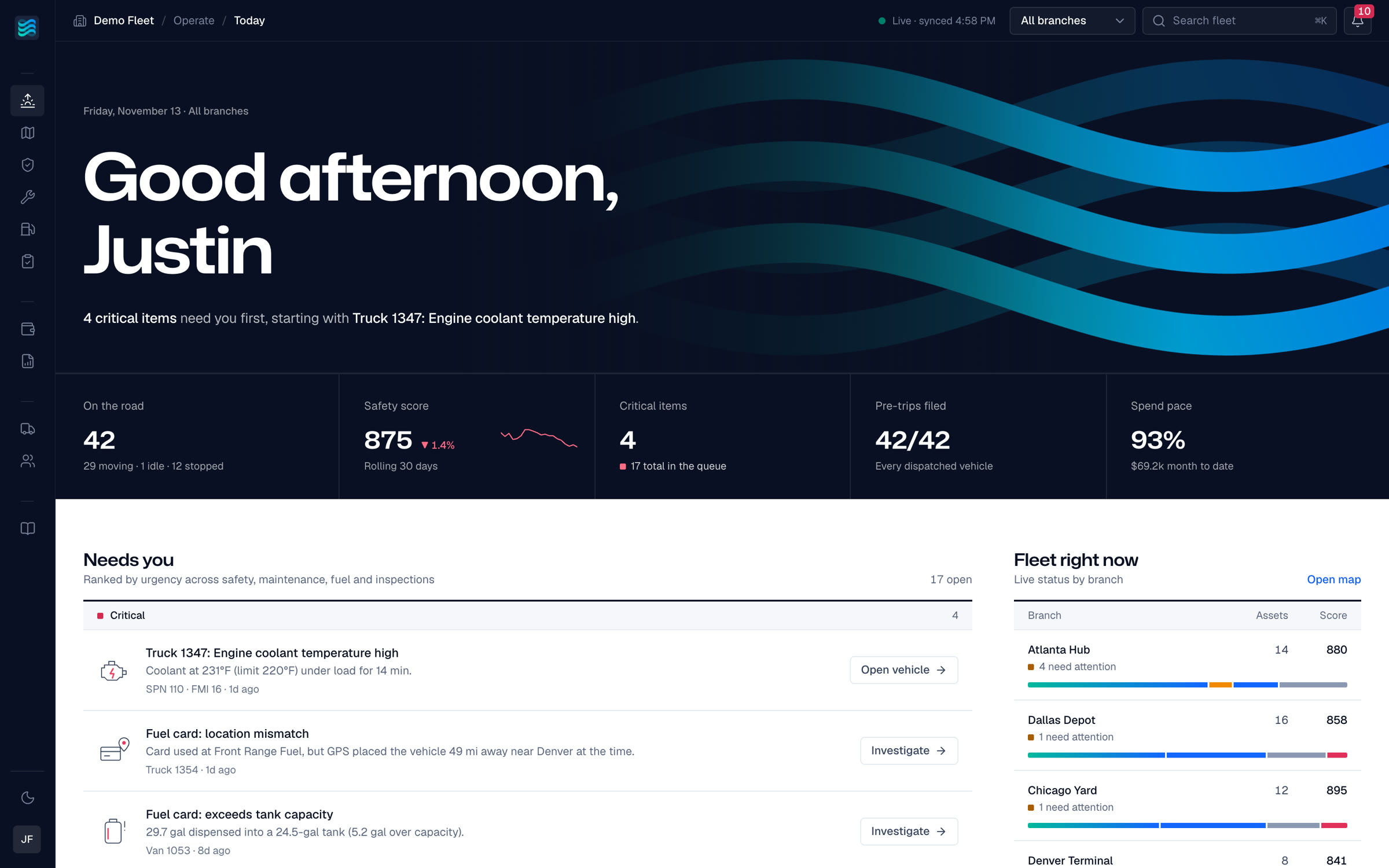
IntelliShift: the operations overview with fleet KPIs, a ranked queue of critical items and live status by branch.

01 — Brief

One screen for the whole fleet, and it tells you what to do first.

The challenge

IntelliShift covers safety, maintenance, fuel and inspections for fleets spread across branches. Each area had its own screens and its own alerts, so the urgent things sat next to the routine ones and the manager had to work out the order.

The approach

We designed from the queue outward. Every signal in the fleet is ranked into one list, and every other screen exists to answer the question an item in that list raises.

02 — The work

  1. 02.1One queue, ranked
  2. 02.2The whole fleet, live
  3. 02.3Service before it’s due
  4. 02.4Built for the yard

02.1One queue, ranked

Critical and attention items from every area land in a single list, ordered by what they cost if left. Each row carries one action, so the queue is something you clear, not something you read.
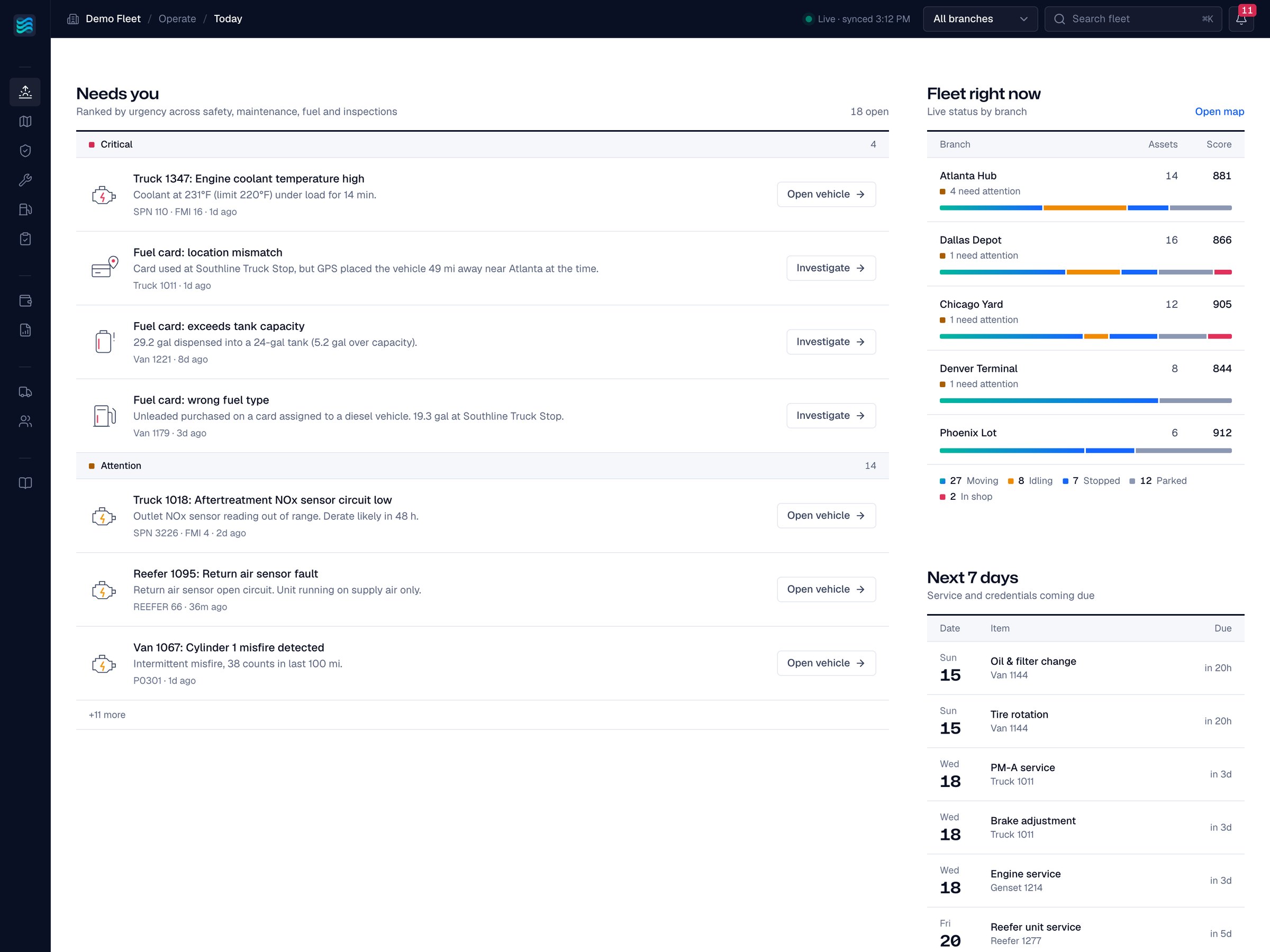
The Needs you queue: critical and attention items ranked across safety, maintenance, fuel and inspections, each with one action.
Fig. 01Needs you: safety, maintenance, fuel and inspections in one ranked list.

02.2The whole fleet, live

Every asset across five branches on one map, with a roster beside it that filters as you go. Status reads in color first and in numbers second.
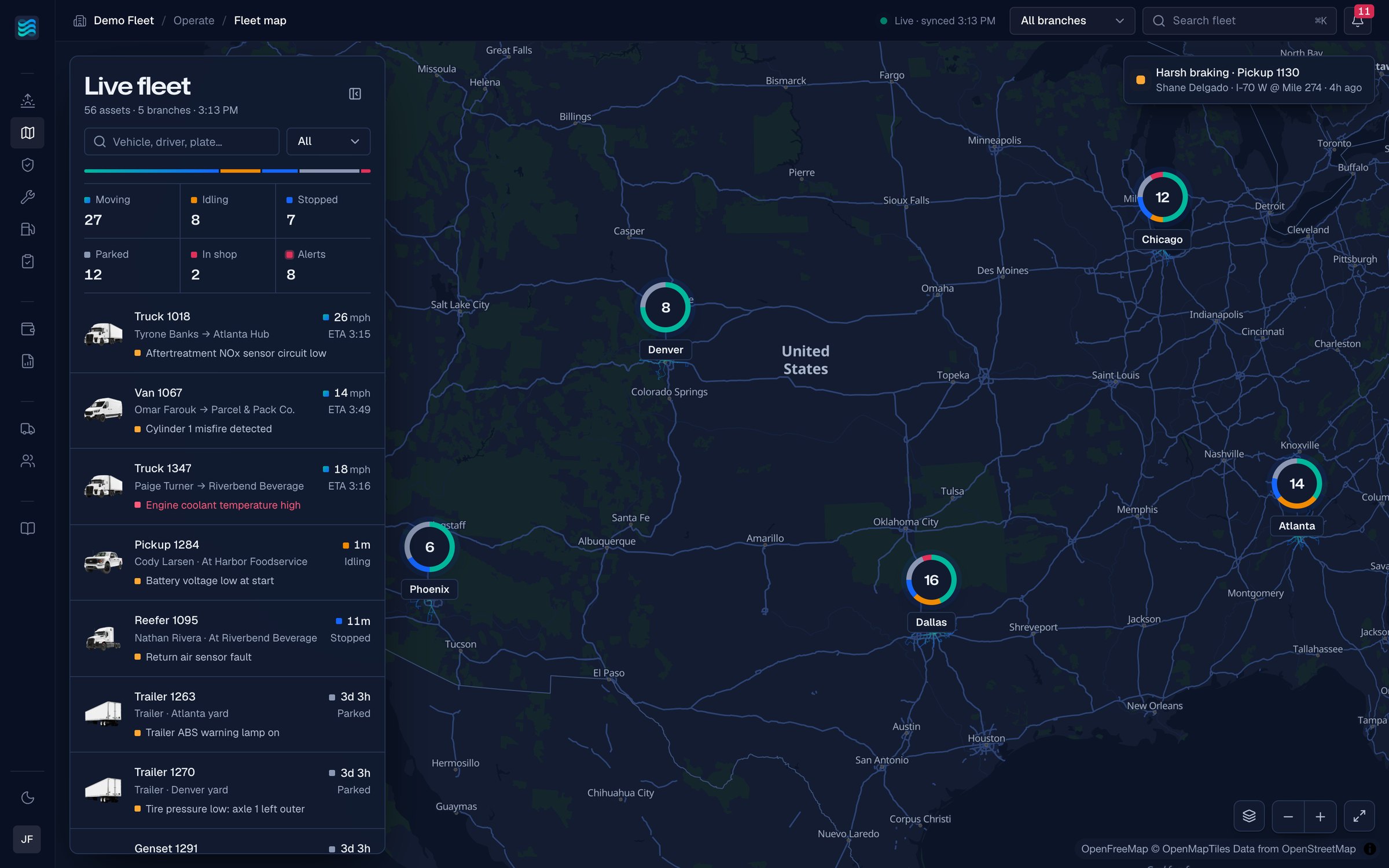
IntelliShift fleet map: every asset live across five branches, with a filterable roster beside the map.
Fig. 02Fleet map, with the roster beside it.

02.3Service before it’s due

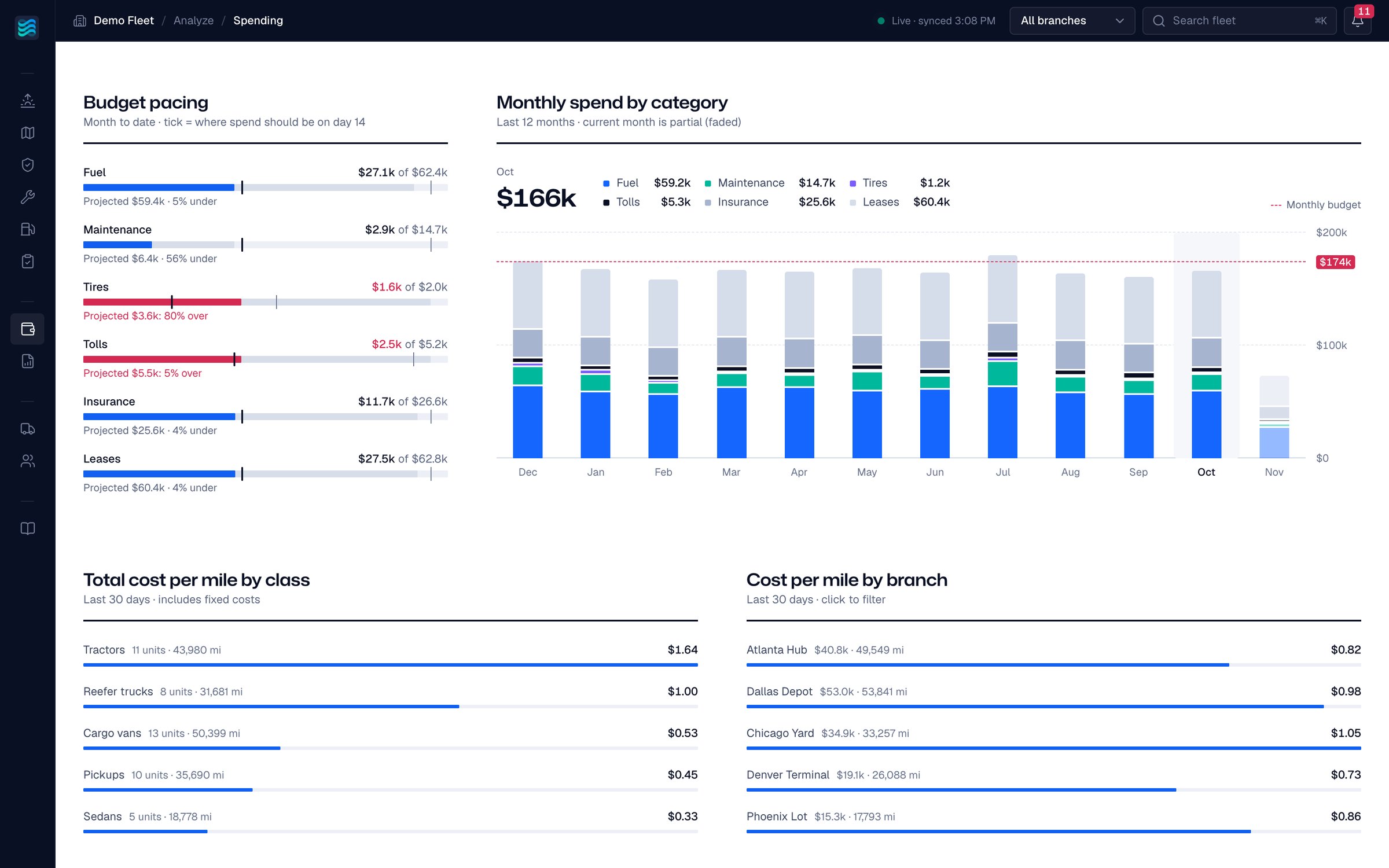
Fleet health, the assets that need attention and the next 14 days of service share one page. Spend sits beside it, by category, against the monthly budget line.
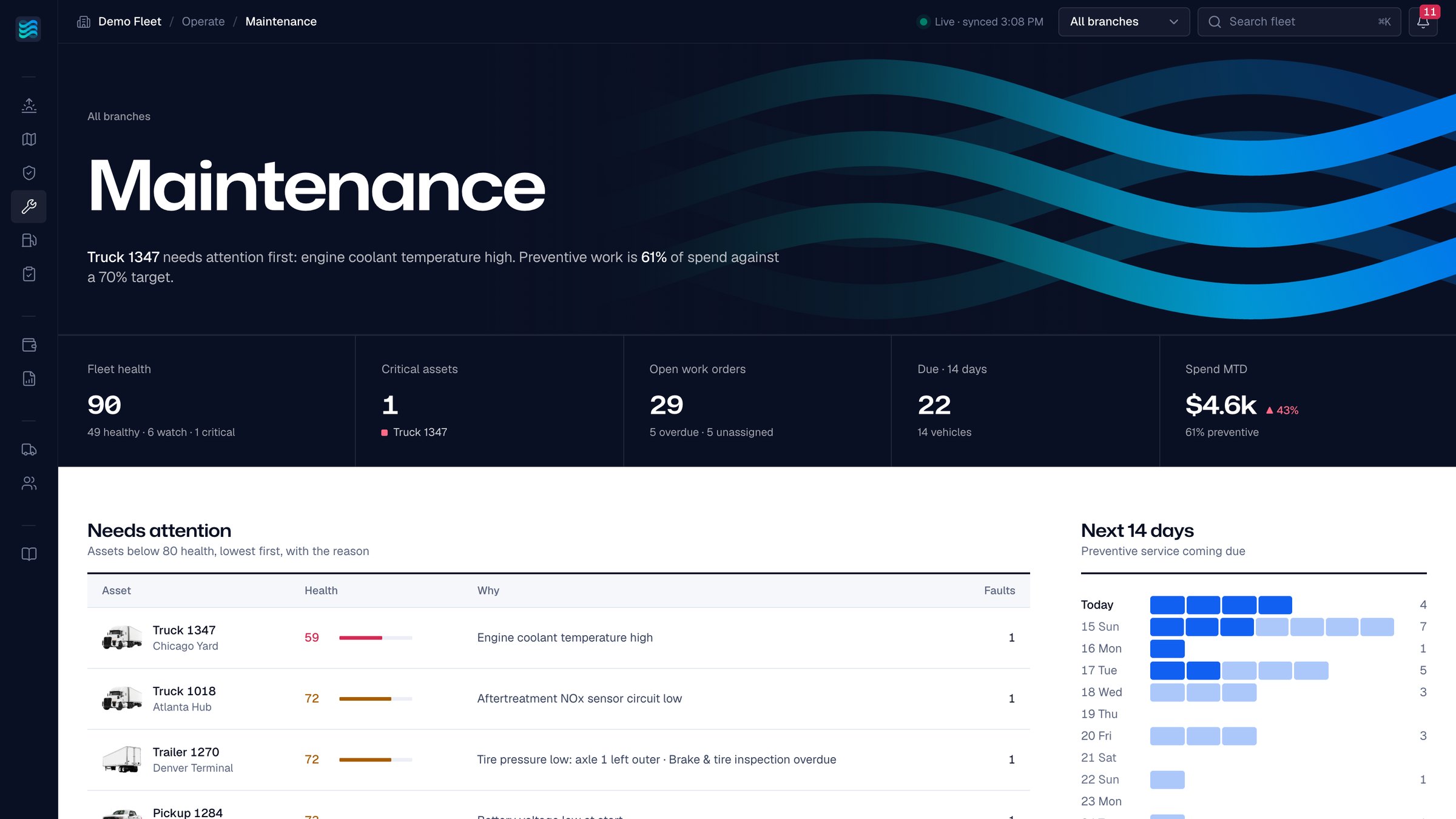
IntelliShift maintenance: fleet health, the assets that need attention ranked by reason, and the next 14 days of service.
Monthly spend by category as stacked bars against the monthly budget line.
Fig. 03Maintenance, and monthly spend against budget.
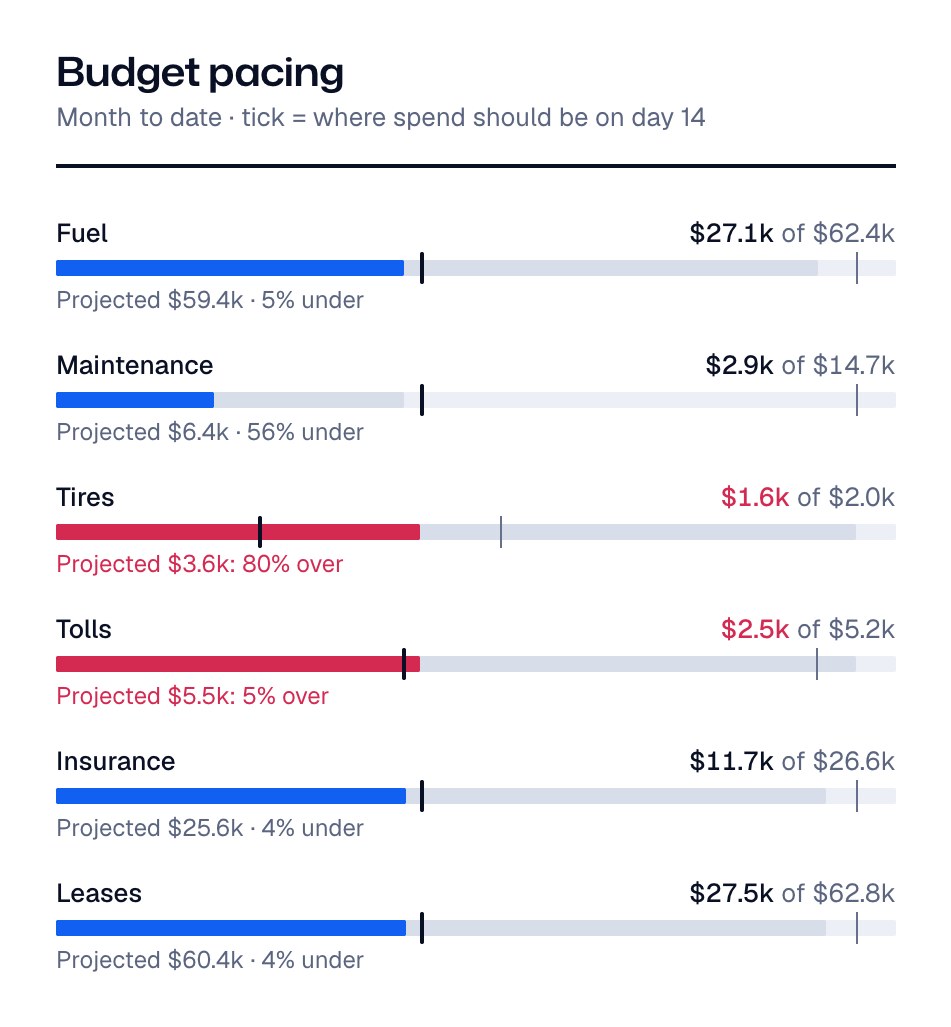
Budget pacing: month-to-date spend by category as bars, each with a tick where spend should be today.
Fig. 04Budget pacingA tick marks where spend should be today. A bar that runs past it turns red, so the over-budget lines find you.
Shows
Month to date, by category
Marker
Where spend should be today
Alert
Projected overrun, in red

02.4Built for the yard

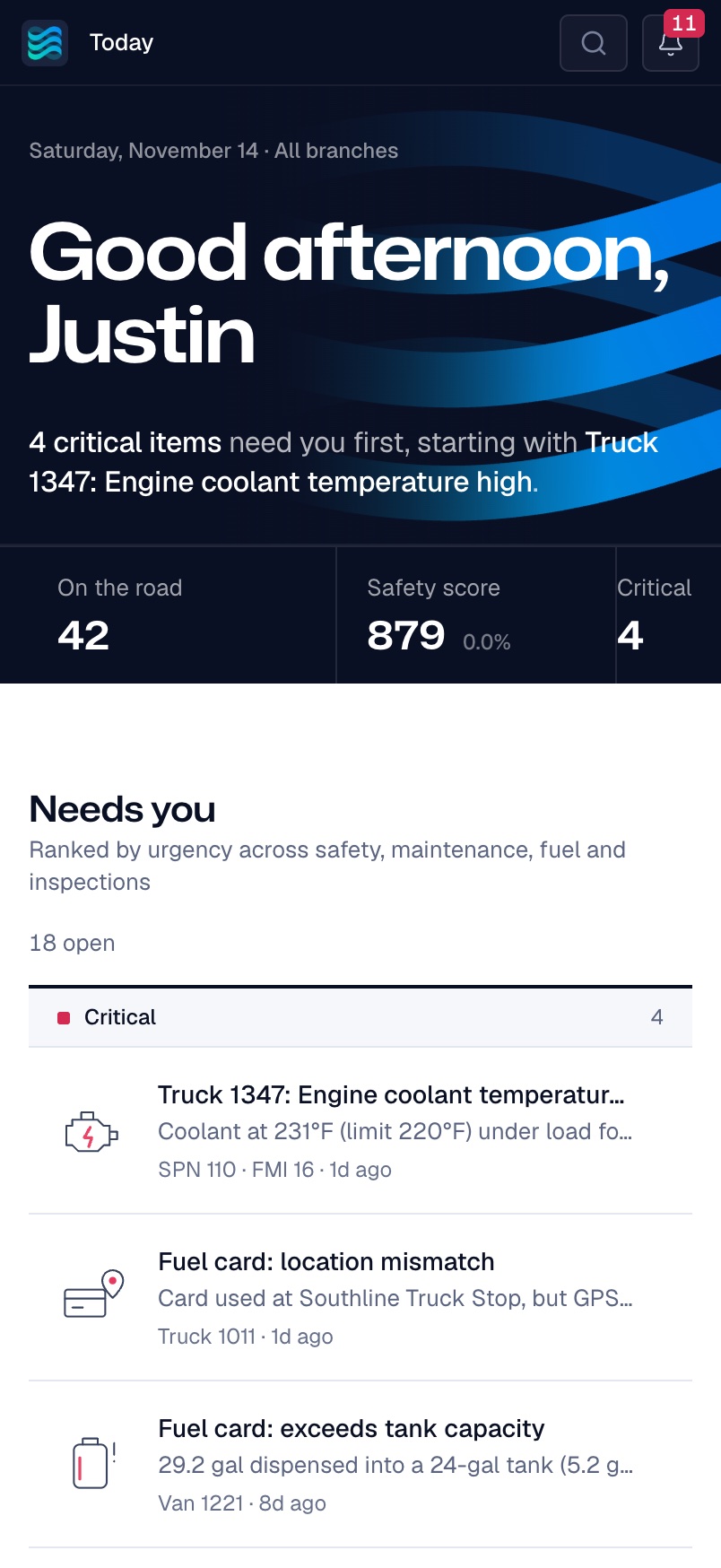
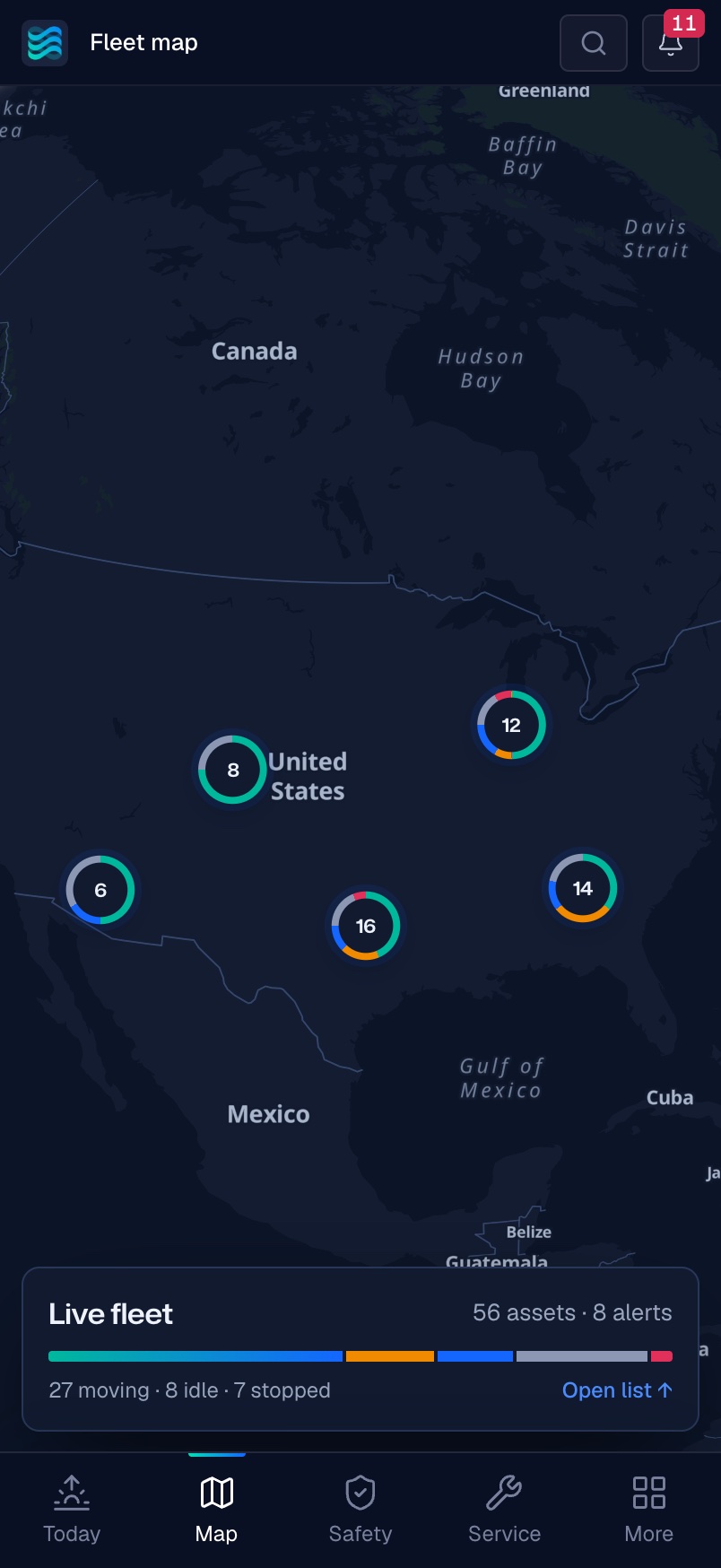
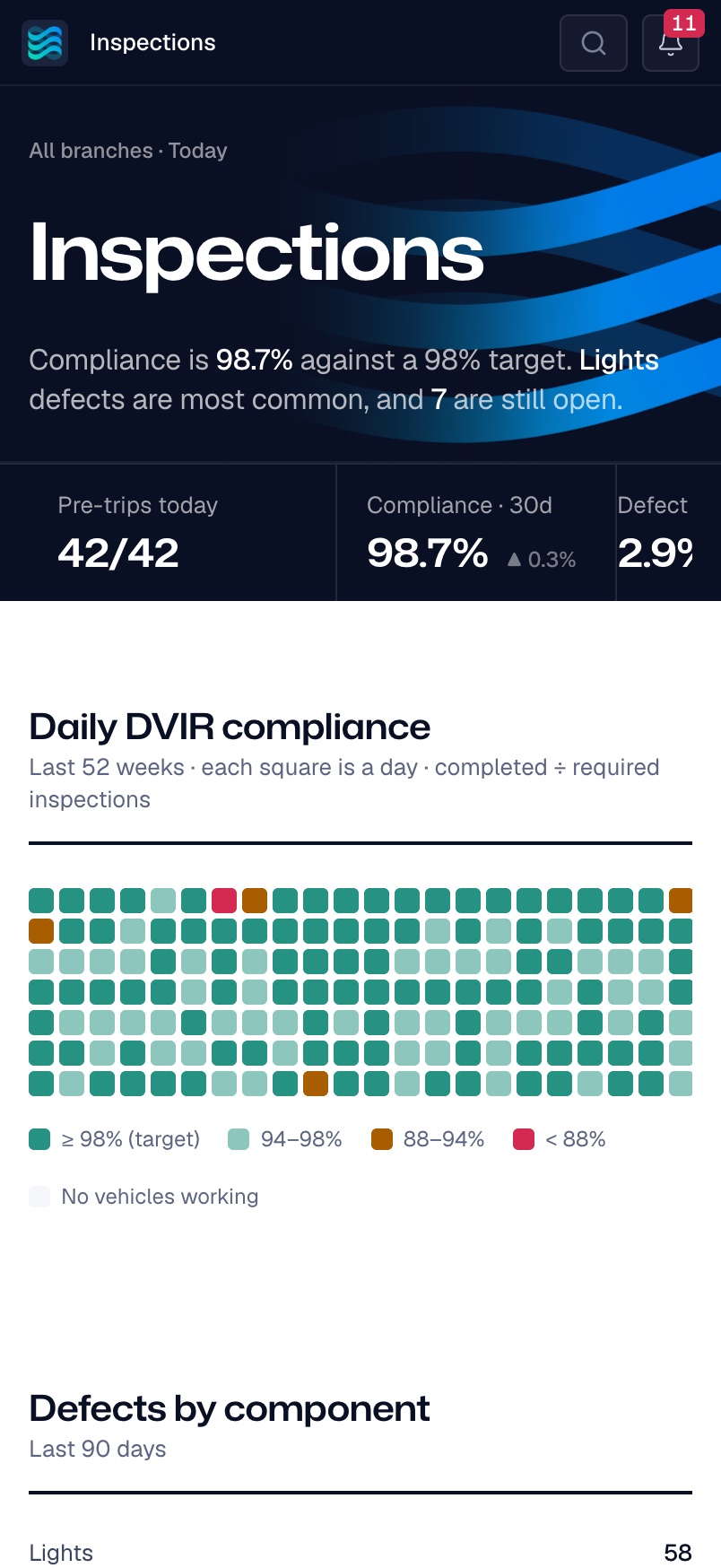
The same system on a phone, for the people walking the lot. Today puts critical items first, the map clusters by branch, and inspections show a year of daily checks as one grid.
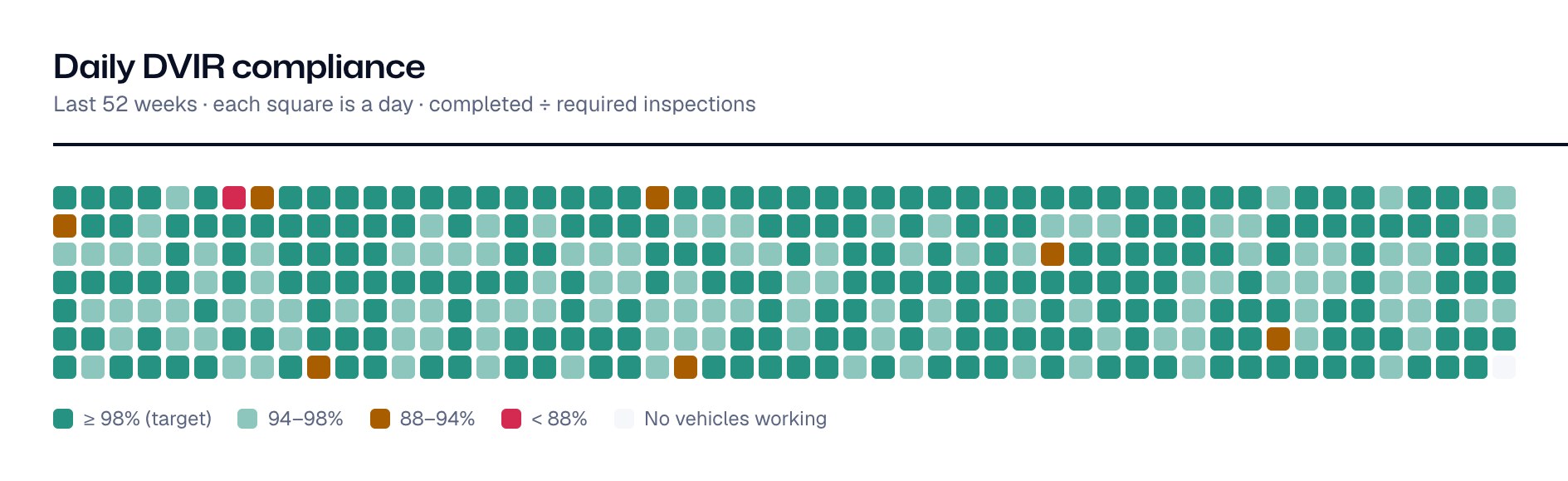
Daily DVIR compliance: 52 weeks of inspections as a grid of small squares, one a day, colored by compliance.
Fig. 05A year in one gridFifty-two weeks of daily inspections, one square a day. A missed day stands out without a single number.
Shows
Daily inspection compliance
Span
52 weeks
Reads as
Color, in four steps
IntelliShift on a phone: the Today screen, with critical items first and fleet KPIs.
IntelliShift on a phone: the live fleet map with branch clusters and status.
IntelliShift on a phone: inspections, with 52 weeks of daily DVIR compliance as a grid.
Fig. 06Today, the map and inspections on a phone.

03 — Outcome

A single operations home for the fleet, designed across desktop and phone and built as a working prototype, with the design system underneath it.